 Performance
Stop relaunching your Meta ads. Let them learn.
Short Meta ad campaigns keep you stuck in the learning phase. Learn how to run always-on Meta ads that work on a small budget. Read the full six-step playbook.
- Meta's learning phase needs about 50 results a week, not 50 in total.
- Stop-start campaigns pay the learning cost again with every launch.
- Consolidate into one campaign and one or two ad sets so every result counts.
- Judge small-budget campaigns monthly on real business results, not daily swings.
Here's the inside scoop: that three-week Meta campaign you ran last month probably spent a big chunk of its budget learning, not performing. You launch, results bounce around for a week or two, things start to settle, and then the campaign ends. Next month, you start over.
The fix most businesses miss is structural. Always-on Meta ads, run continuously and set up the right way, stop you from paying the platform's learning cost again and again. Below, I'll walk through how Meta's learning phase works, what you gain by staying on, a six-step playbook for small budgets and how to tell when always-on isn't the right call.
Why short bursts cost you more
Every new campaign or ad set starts in what Meta calls the learning phase. According to Meta's Business Help Center, an ad set usually exits once it records about 50 optimisation events (the result you're optimising for, such as a lead or a purchase) within a week of its last significant edit. Until then, results swing and costs tend to run higher.
Short campaigns often end before they get past that point. And under Meta's rules on significant edits, changes like new targeting, a new optimisation event or a pause of seven days or more can send an ad set back to the start. Launch a fresh campaign for every promo and you pay that learning cost every time.
What Meta's learning phase needs
This is the detail most "run your ads longer" advice skips. The 50-event threshold is weekly, not cumulative. Stretching a small budget across three months won't add up to 50 events if the ad set only produces five a week.
The count is also shared. As AdLibrary's learning phase guide explains, every ad inside one ad set pools its results, so five ads need 50 events between them, not 50 each. That's why structure matters as much as budget.
If your budget can't reach 50 events a week, Meta labels the ad set "Learning Limited." That sounds like a problem. For many small businesses, it's simply where the account will live.
What you gain even in Learning Limited
So if a small budget may never exit learning, why go always-on at all? Because the learning phase label isn't the whole story. Meta's own learning phase guide says the delivery system never stops learning how best to deliver an ad set. The "learning" label only marks when delivery becomes stable. Here's what staying on gets you that bursts can't:
- No relaunch tax. Every new campaign restarts learning. An always-on campaign only pays that cost once.
- Presence when buyers are ready. Customers don't shop on your promo calendar. Always-on means you're visible whenever they start looking.
- Results you can judge over time. Months of steady data show you what's working in a way three-week bursts never can.
Research outside the platform backs up the value of staying visible. The Ehrenberg-Bass Institute tracked brands that stopped advertising for a year or longer and found sales fell 16% on average after one year and 25% after two. A 2023 replication in the Journal of Advertising Research found smaller brands lost more market share. Those studies covered consumer brands on mass media, so treat them as context rather than proof. Still, the pattern is consistent.
The always-on playbook
1. Run the budget math
Benly's guide to learning phase optimisation offers a simple formula: your target cost per result, times 50, divided by seven. That's roughly the daily budget needed to exit learning. Costs usually run higher during learning than your eventual target, so treat the result as a floor, not a ceiling.
If your cost per lead is $25, you'd need at least about $179 a day. Plenty of small businesses spend less than that, and that's fine. The math tells you which path you're on: exit learning, or run steadily in Learning Limited and judge results monthly.
One caution: Meta advises against setting a tiny budget, since it gives the system too little to work with. The goal isn't a big budget, but one that produces a steady flow of results each week.
2. Consolidate before anything else
Use fewer campaigns, one or two ad sets and broad targeting. AdStellar's breakdown of learning phase issues explains why fragmentation hurts. Split the same conversions across several ad sets and none of them gets close to 50 a week. Put them in one ad set and every result counts toward the same threshold.
For a typical local service business, a consolidated setup means one evergreen campaign, one ad set with broad targeting across your service area and three to six ads inside it. Every lead feeds the same ad set, so Meta learns faster from the same spend.
Meta's Advantage+ tools push in the same direction. For e-commerce brands, the AdLibrary guide notes that Advantage+ Shopping campaigns pool results at the campaign level instead of splitting them across ad sets. For everyone else, the AdStellar breakdown points to Advantage+ Audience, which lets Meta expand beyond your targeting when it predicts better results.
Meta's learning phase guide backs this up directly. It recommends combining similar ad sets and warns that when you create many ads and ad sets, the system learns less about each one.
Consolidation costs nothing, and for smaller accounts it's the biggest lever you have.
3. Pick an event you can feed
Optimise for the result you want, usually leads or purchases. That choice only exists in campaigns built in Ads Manager, so if you're still boosting posts, start with why boosting a post isn't an ad campaign. It's tempting to switch to link clicks or landing page views to hit 50 events faster, but Jon Loomer warns that those goals tend to bring cheap, low-quality traffic.
If volume is low, run in Learning Limited on the right event rather than clearing the threshold on the wrong one. Cheap clicks that never call you aren't a win.
Make sure Meta can see every result, too. Cometly's learning phase guide notes that pairing the Meta Pixel with the Conversions API sends conversion data straight from your server, giving the system a more complete picture. When every event counts, you can't afford to lose any to tracking gaps. If that sounds technical, ask whoever manages your website to set it up. It's often a one-time setup.
4. Stop editing, start adding
Treat seasonal promos as new ads inside your evergreen campaign, not as new campaigns. Meta lists adding a new ad as a significant edit, so it can send the ad set back into learning. Even so, it's far less disruptive than building a new campaign, because you keep the same structure, audience and results history. Adlio's guide to adding ads recommends adding new ads in one batch rather than one at a time, since each addition counts as a separate edit.
Budget changes need the same care. Under Meta's significant edits rules, a large budget jump or cut can send an ad set back into learning. A few habits protect your progress:
- Raise or lower budgets gradually, in small steps
- Scale back in slow months instead of pausing outright
- Batch changes into one weekly check-in
A small reset from a budget change still beats going dark for weeks and starting from scratch.
5. Build a creative cadence
Always-on only works if fresh creative keeps coming. Atria's guide to creative fatigue notes that Meta's automation concentrates spend on your top performers, which can wear them out faster.
Don't let the learning phase scare you off testing. Meta itself says you shouldn't try to avoid the learning phase completely, because testing new creative is essential to improving results over time.
On a small budget, we recommend adding one new ad concept every two to four weeks. The warning sign to watch for is frequency climbing while click-through rate falls.
6. Measure what matters
Daily numbers in Ads Manager will bounce around, especially on smaller budgets. Judge performance on monthly trends in cost per lead, and on real business results like booked calls and sales.
A simple monthly scorecard keeps everyone honest. Track four numbers side by side:
- Total spend for the month
- Cost per lead, as reported by Meta
- Leads that became booked calls or quotes
- Leads that became paying customers
Meta's reporting covers the first two. The last two come from your own records, and they're the ones that pay the bills. To connect ad clicks to what happens on your website, our guide to tracking social media ROI in Google Analytics 4 walks through the setup. When cost per lead drifts up but more of those leads convert, the campaign is improving, not slipping.
Expect the first two to four weeks to look bumpy. That's the system learning, not failing. Give it a full month before you decide anything.
Tip: add the "Last significant edit" column in Ads Manager to see exactly when learning last restarted and how many results you've had since.
When always-on isn't the answer
Always-on isn't right for everyone. If your business is highly seasonal or your budget is tight, a pulsing approach can work better: a low baseline all year, with spending increases during peak periods.
That middle ground has research behind it. In a Q&A on their findings, the Ehrenberg-Bass researchers describe stopping advertising entirely as an extreme move and note that brands can often justify reducing spend instead.
The key is timing. A sudden spike in spend can push your ad set back into learning right when you need stable delivery. Start ramping up gradually two to three weeks before your busy season, so the campaign has settled by the time customers arrive.
Meta's own holiday guidance leans the same way. According to a recent roundup of Meta ads updates, Meta advised advertisers to turn on Advantage+ placements early so October works as a learning period before Black Friday. That advice is aimed at online retailers, but the principle applies to any business with a peak season: get your campaign running before the rush, not on the day it starts.
Make your ads work longer
Short bursts force Meta to relearn your business every time you launch. An always-on campaign built on the right budget math, a consolidated structure and a steady creative supply ends that cycle. You pay the learning cost once, stay visible when customers are ready and build a track record you can judge month after month, even on a small budget.
Start with one number. In Ads Manager, add the Learning Phase column, which shows what percentage of your spend over the past 14 days went to ads still in learning. Meta's own definition notes that a higher share means more budget spent while costs were higher and performance less stable. If that number is high, run the budget formula and count how many ad sets you're splitting your spend across. Those numbers will tell you more than any dashboard.
Test this approach. See what the platform rewards. Adjust. Repeat.
Not sure your account is set up to learn? Book a Meta ads review with SocialXpresso and we'll show you where your budget is leaking.
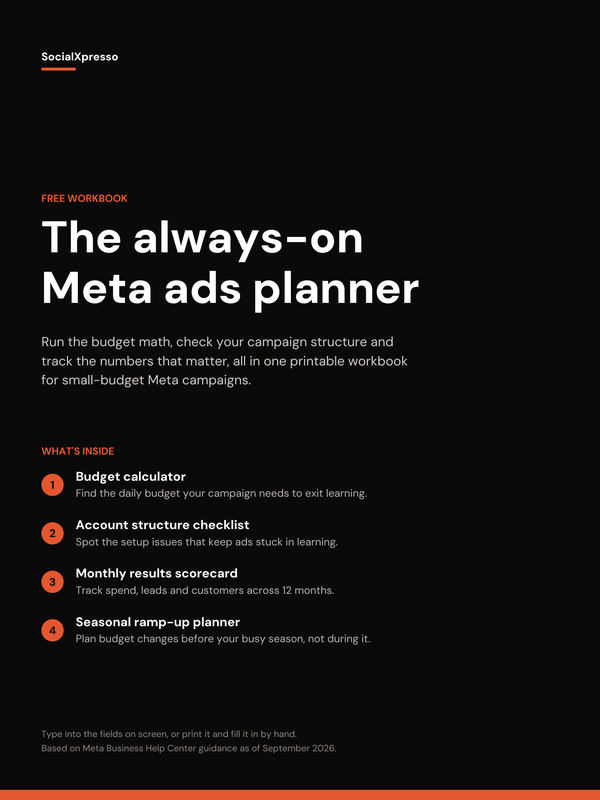
Run the budget math, check your campaign structure and track what matters, all in one printable workbook for small-budget Meta campaigns.
Enter your email and your download starts right away.